
Scoring
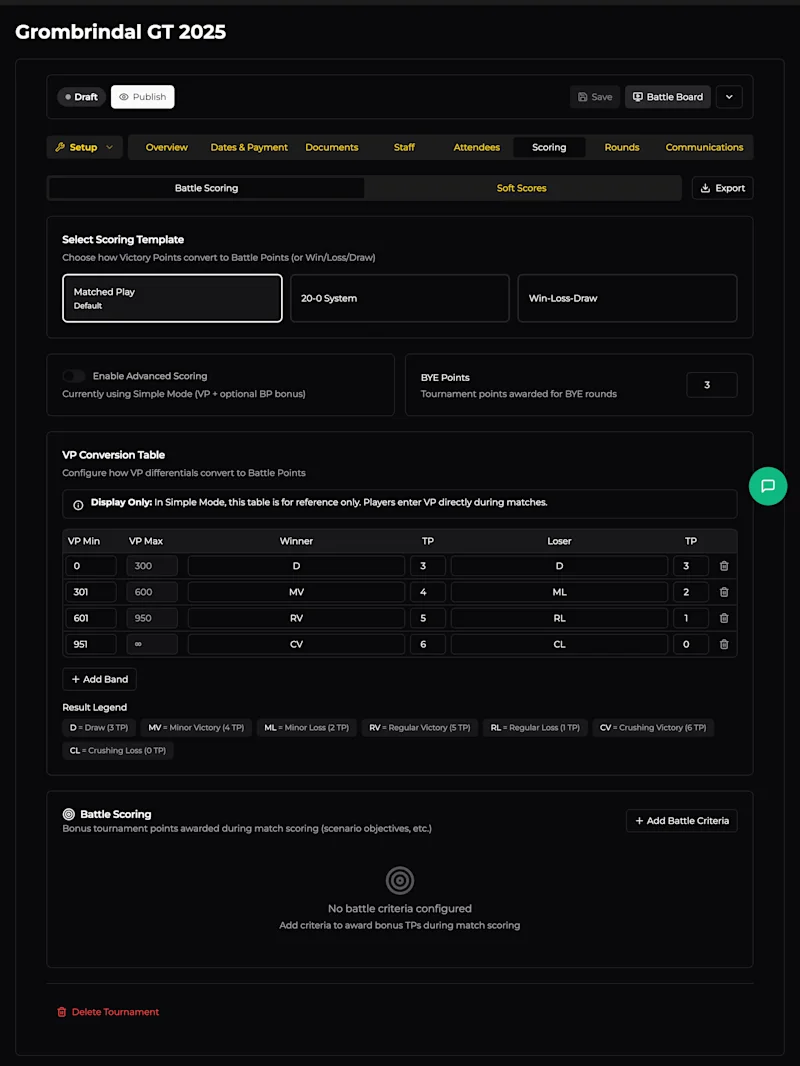
The Scoring tab is where you define how winners are determined. It's split into two sub-tabs: Battle Scoring (the core game results) and Soft Scores (painting, sportsmanship, etc.).
There's also an Export button in the top-right to download your scoring configuration.
Battle Scoring
Scoring Templates
Choose a template that matches how your event converts Victory Points into Tournament Points (or determines wins):
Template | How it works |
|---|---|
Matched Play (default) | VP differentials are converted to results (Draw, Minor Victory, Regular Victory, Crushing Victory, and their loss equivalents) using a conversion table. Each result awards a set number of Tournament Points. This is the standard Warhammer: The Old World approach. |
20-0 System | The VP differential maps to a sliding 20-0 scale - the winner's score and loser's score always sum to 20. Popular in many European tournament circuits. |
Win-Loss-Draw | Simple binary outcomes. No VP conversion - just record who won, lost, or drew. |
Simple vs Advanced Mode
By default, scoring runs in Simple Mode - players enter their Victory Points directly during matches and any bonus Battle Points are added on top. This is the easiest approach for most events.
Toggle Enable Advanced Scoring to switch to Advanced Mode, where the VP Conversion Table is used to automatically calculate Tournament Points from VP differentials. Advanced mode is useful when you want the system to handle the maths precisely.
BYE Points
Set the number of Tournament Points a player receives for a BYE round (when they have no opponent due to an odd player count). Default is 3 - equivalent to a Draw in the Matched Play template.
VP Conversion Table
This table defines how VP differentials map to results and Tournament Points. The default Matched Play table uses these bands:
VP Differential | Winner Result | Winner TP | Loser Result | Loser TP |
|---|---|---|---|---|
0 - 300 | Draw (D) | 3 | Draw (D) | 3 |
301 - 600 | Minor Victory (MV) | 4 | Minor Loss (ML) | 2 |
601 - 950 | Regular Victory (RV) | 5 | Regular Loss (RL) | 1 |
951+ | Crushing Victory (CV) | 6 | Crushing Loss (CL) | 0 |
You can customise the VP ranges, result labels, and TP values. Click + Add Band to add additional tiers. The trash icon removes a band.
In Simple Mode, this table is for reference only - it's shown to players so they know what their VP differential means, but they enter VPs directly.
Result Legend
Below the table, a colour-coded legend summarises all result types and their TP values at a glance:
D = Draw (3 TP)
MV = Minor Victory (4 TP) / ML = Minor Loss (2 TP)
RV = Regular Victory (5 TP) / RL = Regular Loss (1 TP)
CV = Crushing Victory (6 TP) / CL = Crushing Loss (0 TP)
Battle Criteria (Bonus Points)
Below the VP table, the Battle Scoring section lets you add bonus Tournament Points awarded during matches - typically for scenario objectives, secondary missions, or other in-game achievements.
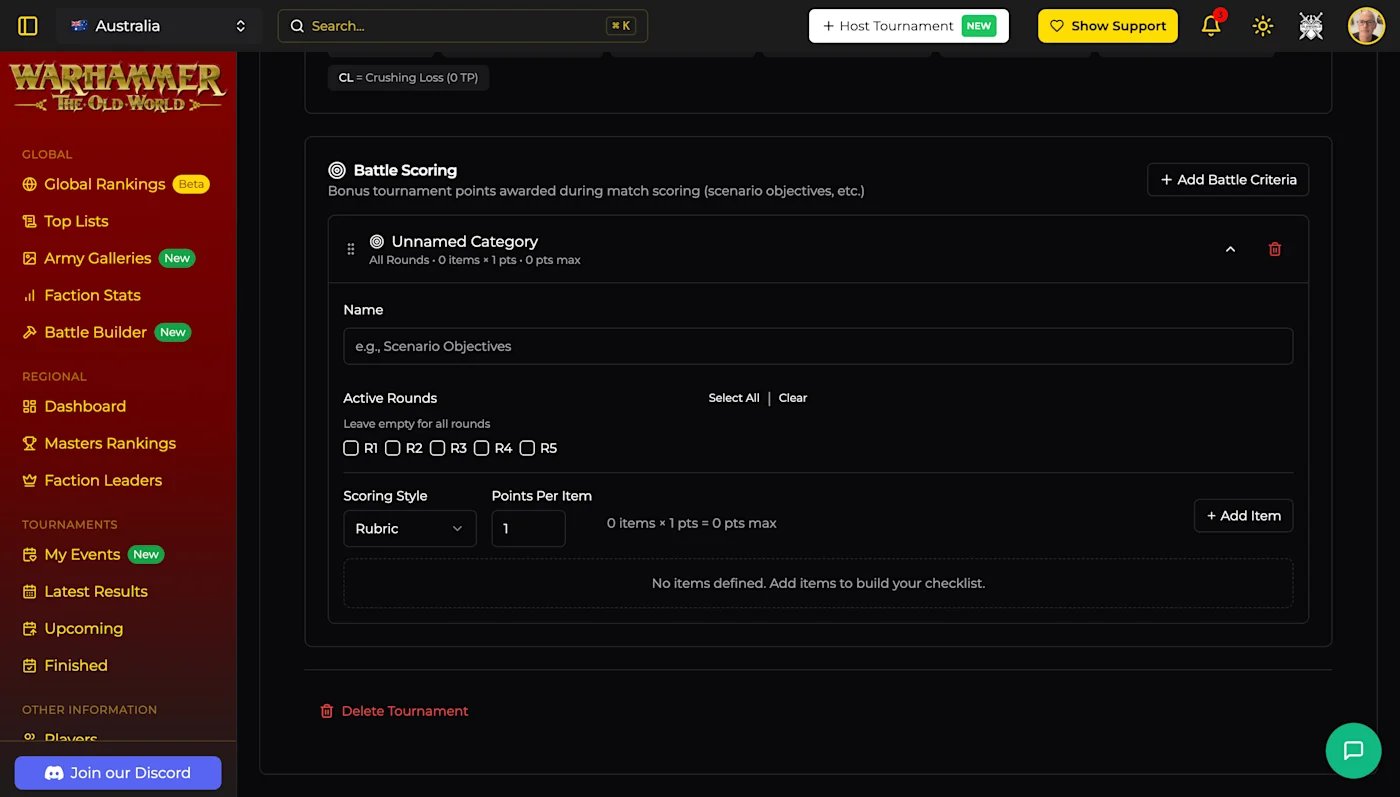
Click + Add Battle Criteria → New Category to create one. Each criterion has:
Field | Description |
|---|---|
Name | What this criterion is called (e.g., "Scenario Objectives") |
Active Rounds | Which rounds this criterion applies to. Leave empty for all rounds. Use the R1 - R5 checkboxes or Select All / Clear. |
Scoring Style | How items are scored - Rubric (checklist of items worth set points) is the default. |
Points Per Item | How many points each rubric item is worth. |
Click + Add Item to build your checklist of scoreable items within the criterion.
Soft Scores
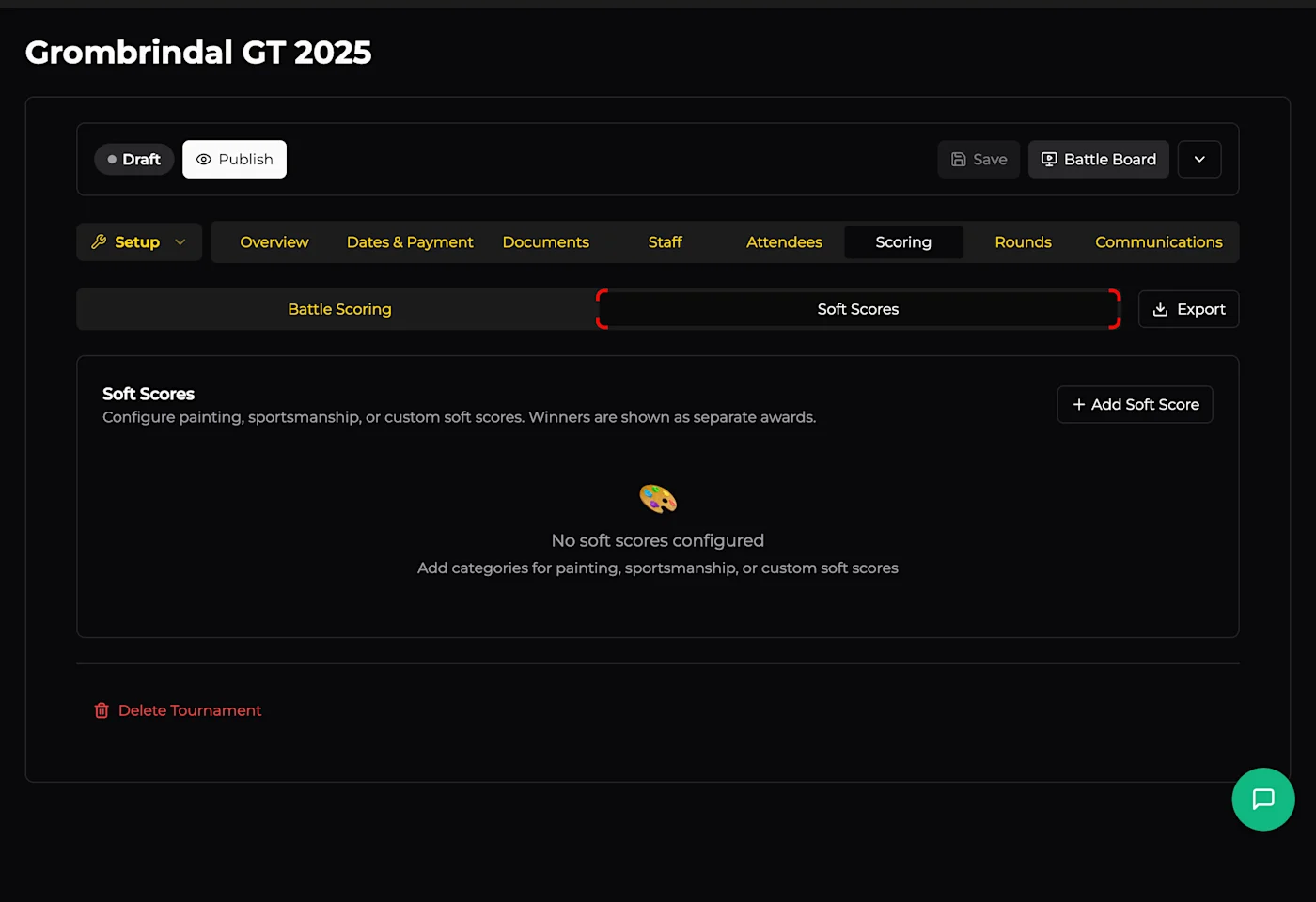
Soft scores cover everything outside the game itself - painting quality, sportsmanship, favourite opponent voting, and any custom categories you dream up. Soft score winners are shown as separate awards (not mixed into the overall battle standings).
Click + Add Soft Score to choose from templates or create a custom category:
Template | Purpose |
|---|---|
Painting | Score army presentation and painting quality |
Sportsmanship | Rate opponent behaviour and game enjoyment |
Favorite Opponent | Let players vote for their favourite opponent of the event |
Custom Category | Define your own soft score with a custom name and scoring criteria |
Each soft score category can be configured with its own scoring rubric and point values.