
Communications
The Communications tab lets you email your attendees and control which automated notifications get sent. It's split into two sub-tabs: Messages and Email Settings.
Messages
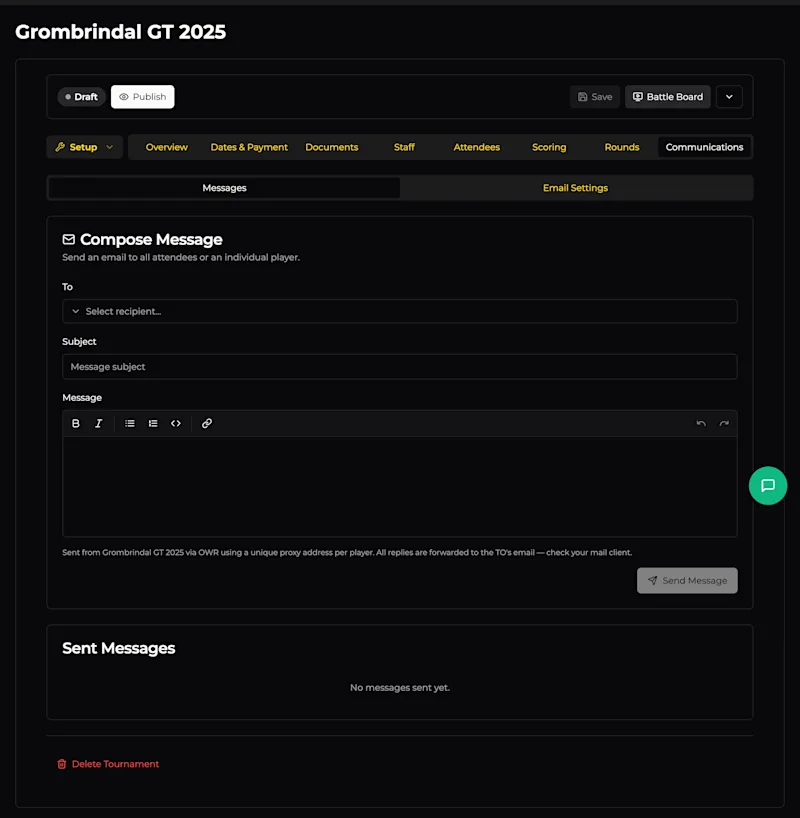
Compose Message
Send an email to all attendees or an individual player directly from OWR. No need to maintain a separate mailing list.
Field | Description |
|---|---|
To | Choose a recipient - either all attendees or a specific player from the dropdown. |
Subject | The email subject line. |
Message | Rich text body - supports bold, italic, lists, code, and links. |
Messages are sent from your tournament via OWR using a unique proxy email address per player. When a player replies, the response is forwarded to the TO's email. This keeps your personal email private while still allowing two-way communication.
Sent Messages
A log of all messages you've sent through the system. Useful for checking what's already been communicated to players.
Email Settings
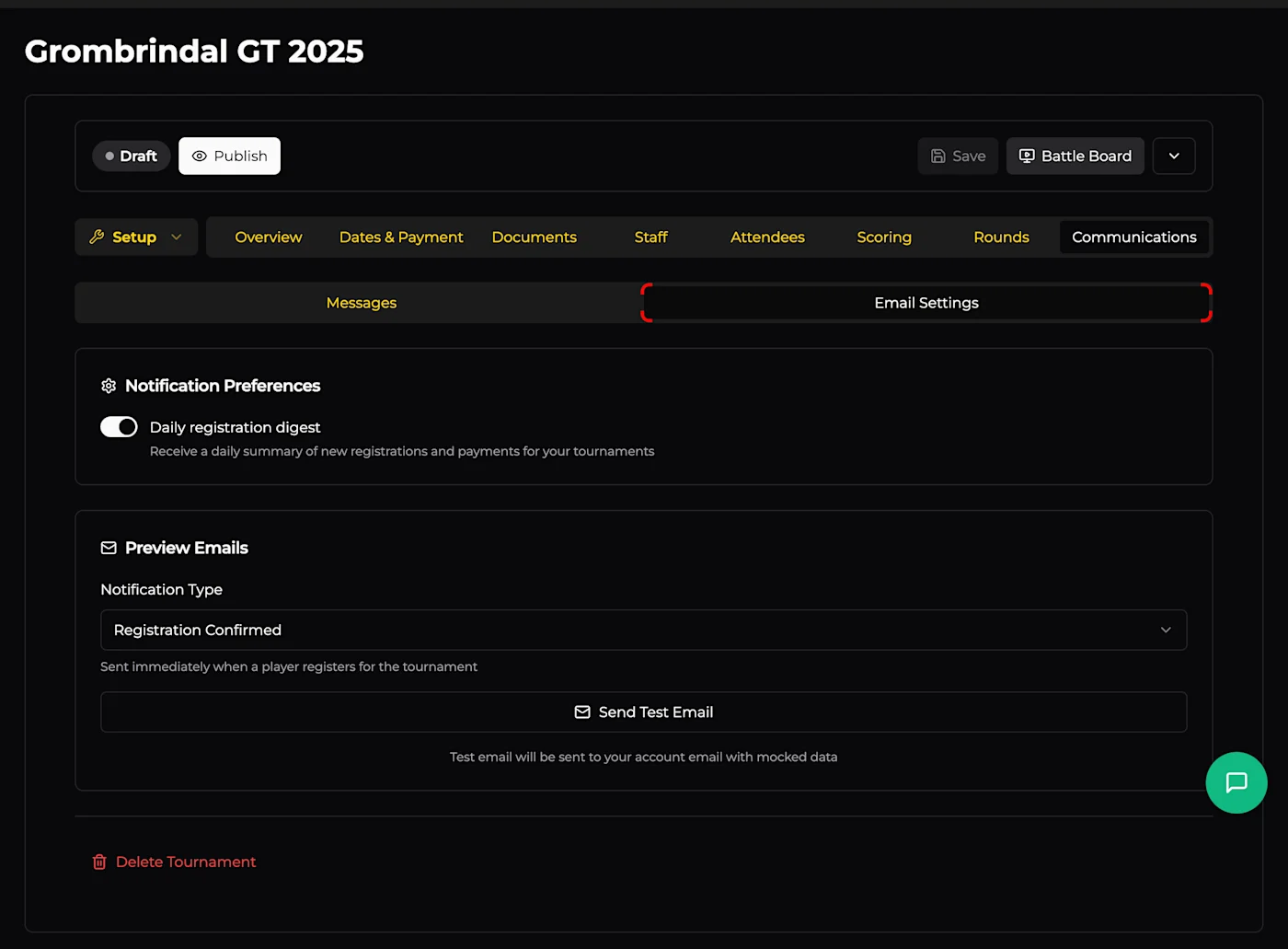
Notification Preferences
Daily registration digest - Toggle this to receive a daily summary of new registrations and payments. Handy for keeping tabs on sign-ups without checking the dashboard constantly.
Preview Emails
Test what automated emails look like before they go out to players. Select a Notification Type from the dropdown and click Send Test Email - it sends a test to your own email with mocked data.
Available notification types:
Notification | When it's sent |
|---|---|
Registration Confirmed | When a player registers for the tournament |
List Reminder | Reminder to submit army lists before the deadline |
List Submitted | Confirmation when a player submits their army list |
Lists Visible | When army lists are made visible to all players |
Waitlist Spot Available | When a waitlisted player gets offered a spot |
Tournament Reminder | Reminder before the event starts |
Round Pairings | When pairings are published for a round |
Final Results | When final tournament results are published |
Follower: Round Standings | Sent to followers after each round's standings are posted |
Follower: Final Results | Sent to followers when final results are published |
Organizer: Daily Digest | Daily summary of registrations and payments (TO only) |
Organizer: Registration Alert | Instant alert when someone registers (TO only) |
Organizer: Payment Alert | Instant alert when a payment comes through (TO only) |