
OWR Newsletter, October 2026
The Battle Scorer has launched
Score any game of The Old World, at your club, at home or at an event, turn by turn against both lists, with secret objectives, photos and a battle report. Plus Pro features switching on for Battle Builder and the old builder's retirement next week, Game Day upgrades and two new regions.
Published 30 October 2026
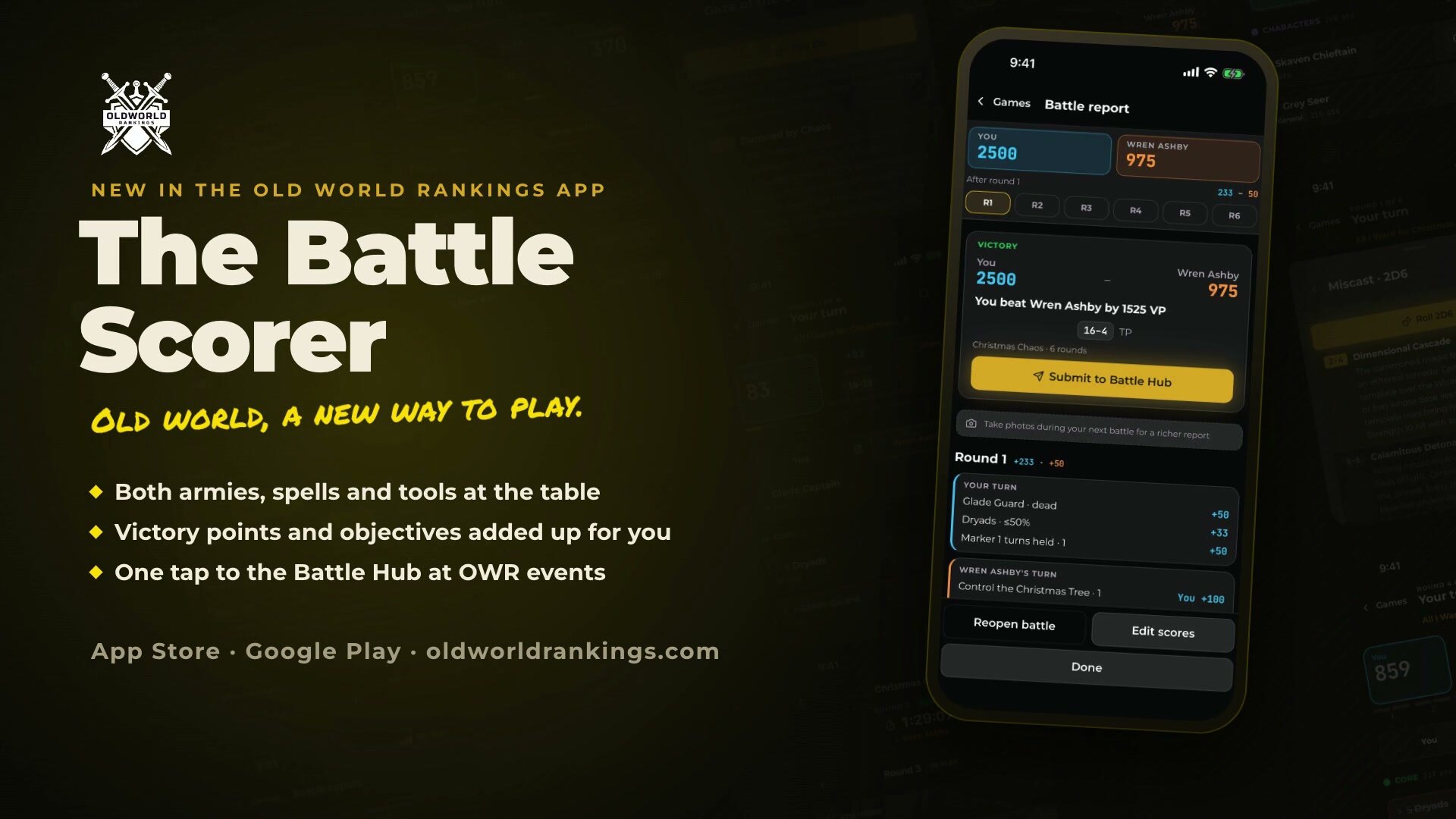
The Battle Scorer has launched, on web, phones and tablets. Playing The Old World will never be the same.
This has been a massive amount of work. I'm classing it as beta, so please be patient as we work through any initial teething issues.
Use it for any game: a pick-up game at your club, a practice game at home, or a round at an event. It scores your game turn by turn against both lists, with the scenario, objectives and secret objectives built in, and at an OWR event the result goes straight to the TO.
The OWR app has also launched on iPad, with layouts built for the bigger screen, and runs on Android tablets too.
Also this month: a clearer Game Day for organisers, Excel exports, and two new regions in Estonia and Argentina. Over 3,900 of you now have OWR accounts, 675 of them new since the last issue.
Forgotten North 5 GT is on track to be the biggest event ever hosted on OWR. See what else is coming up.
The Battle Scorer has launched
The Battle Scorer runs your whole game, from deployment to the final score, and it works for any game you play. You do not need an event: pick a scenario, pick your list and your opponent's, and start. It is built on the same engine as Battle Builder, so it knows every unit, rule and item in both lists.
Where to find it. My Events is now called  Play. The tile at the top starts a new Battle Scorer game, resumes the one you are in, or on event day takes you to your round. You can also start a game from any list in Battle Builder.
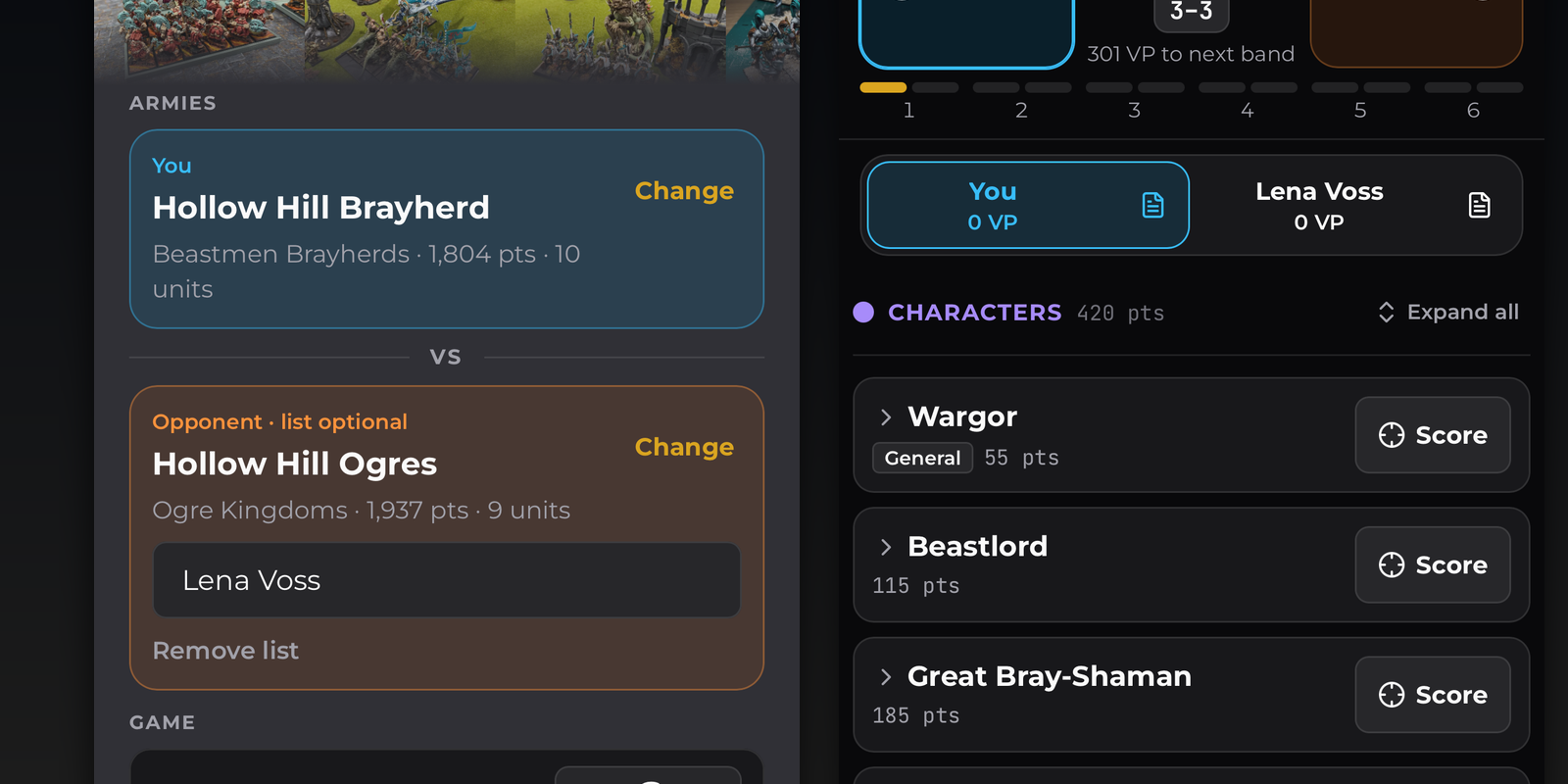
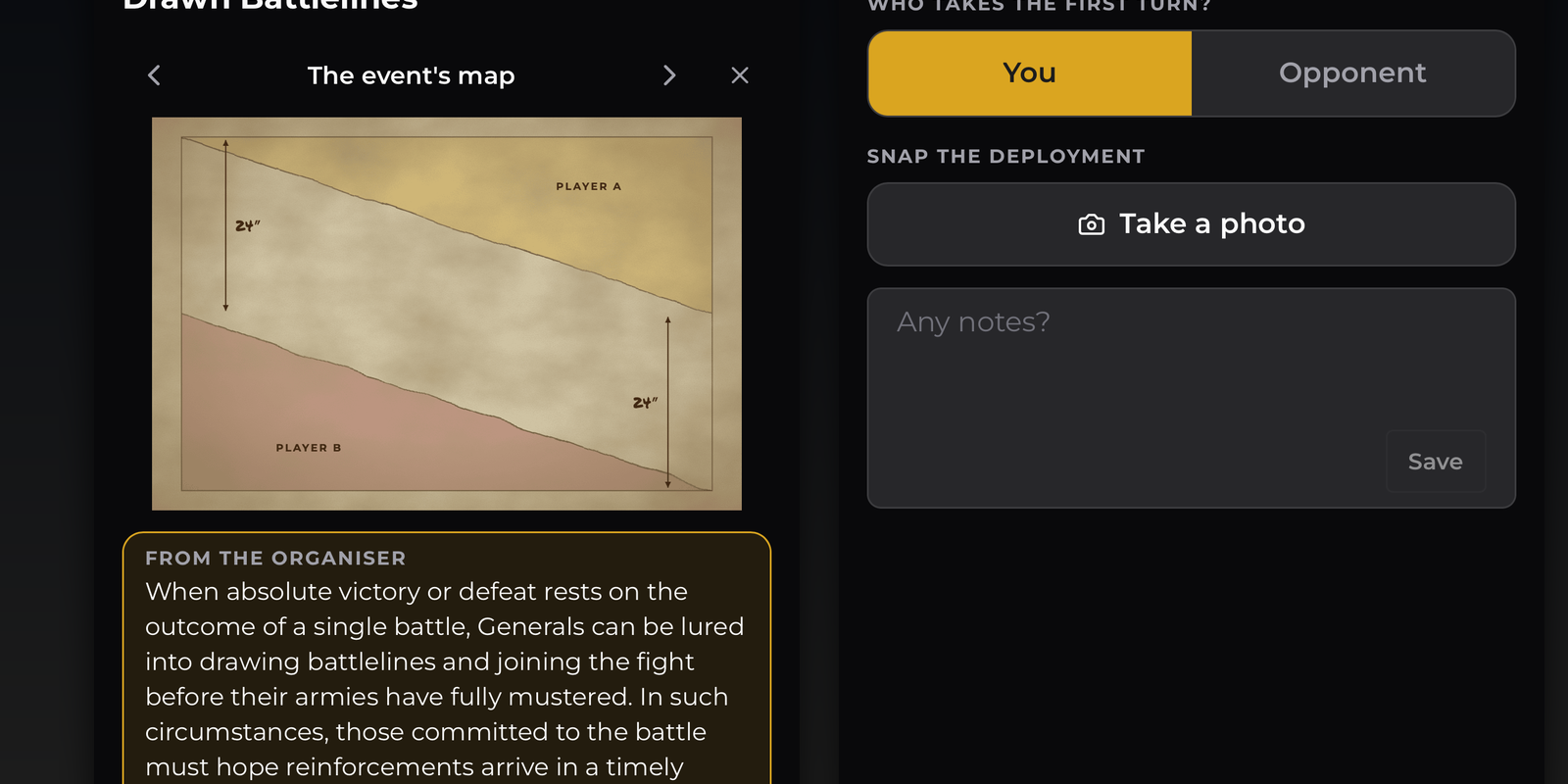
Before the first turn. Pick your army and your opponent's list (or just their name). The pre-game walks through it in order: rounds and the optional chess clock, the scenario with its deployment map and objectives, spells for both sides, Scouts and Ambushers, a deployment photo, and who goes first.
During the game. On a phone, tap your army or your opponent's at the top to switch between them, with each unit folded down to what you need. On an iPad or tablet both armies sit side by side. Mark a unit destroyed or at half strength from its Score button, and the victory points are counted for you. At the end of each turn the sheet walks you through every objective before you move on, and End Turn has undo. The spells panel lists every known spell by caster or by phase, with its casting value, range and full text.
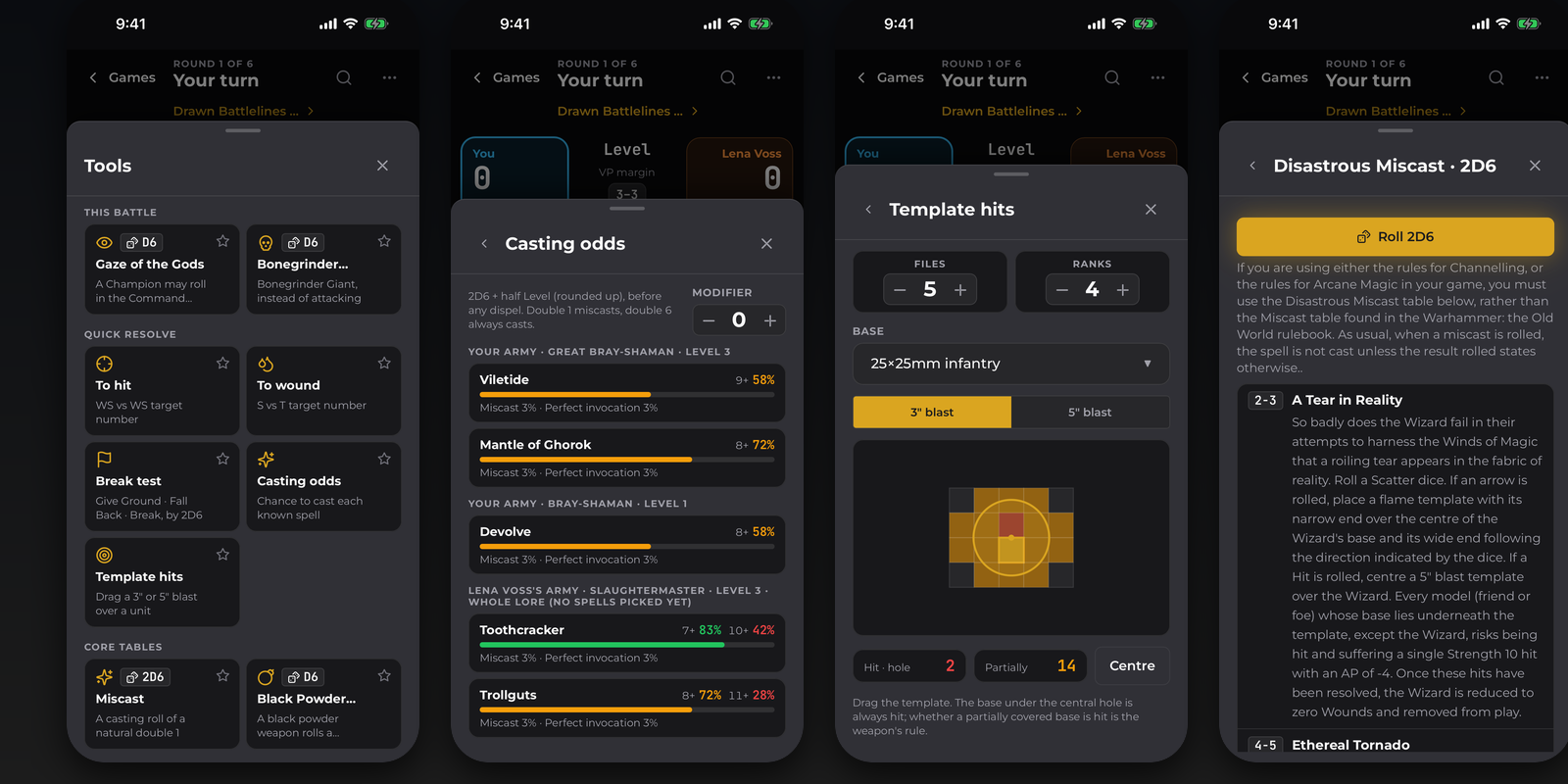
Tools for every roll. Casting odds show each wizard's chance to cast every spell and to miscast. The Miscast table and Gaze of the Gods roll for you and show the result. Template hits counts how many models a 3" or 5" blast catches for the unit's base size and frontage. Break tests, to hit and to wound are one tap away.
Search the rules from inside the game. OWR Pro Type a rule, item or unit and it shows the rule text and every unit in either army that has it, with a jump to that unit.
Objectives that score themselves at the right time. Scenario and battle objectives score at the end of each round, after each player turn, or at the end of the game, so Baggage Trains, Special Feature and Domination land when they should.
Secret objectives, ploys and Channelling dice. Each list names its six secret objectives, and each game you pick one in the pre-game. It stays hidden until the end, then it is revealed and its VP counted. Channelling dice are set for each wizard level, and Arcane Magic ploys can be dealt or tapped in from the ones you drew. Spend them from the spells panel and each one is recorded.
Notes and photos. OWR Pro Add a note and a photo at the end of any turn. They go into your battle report, turn by turn.
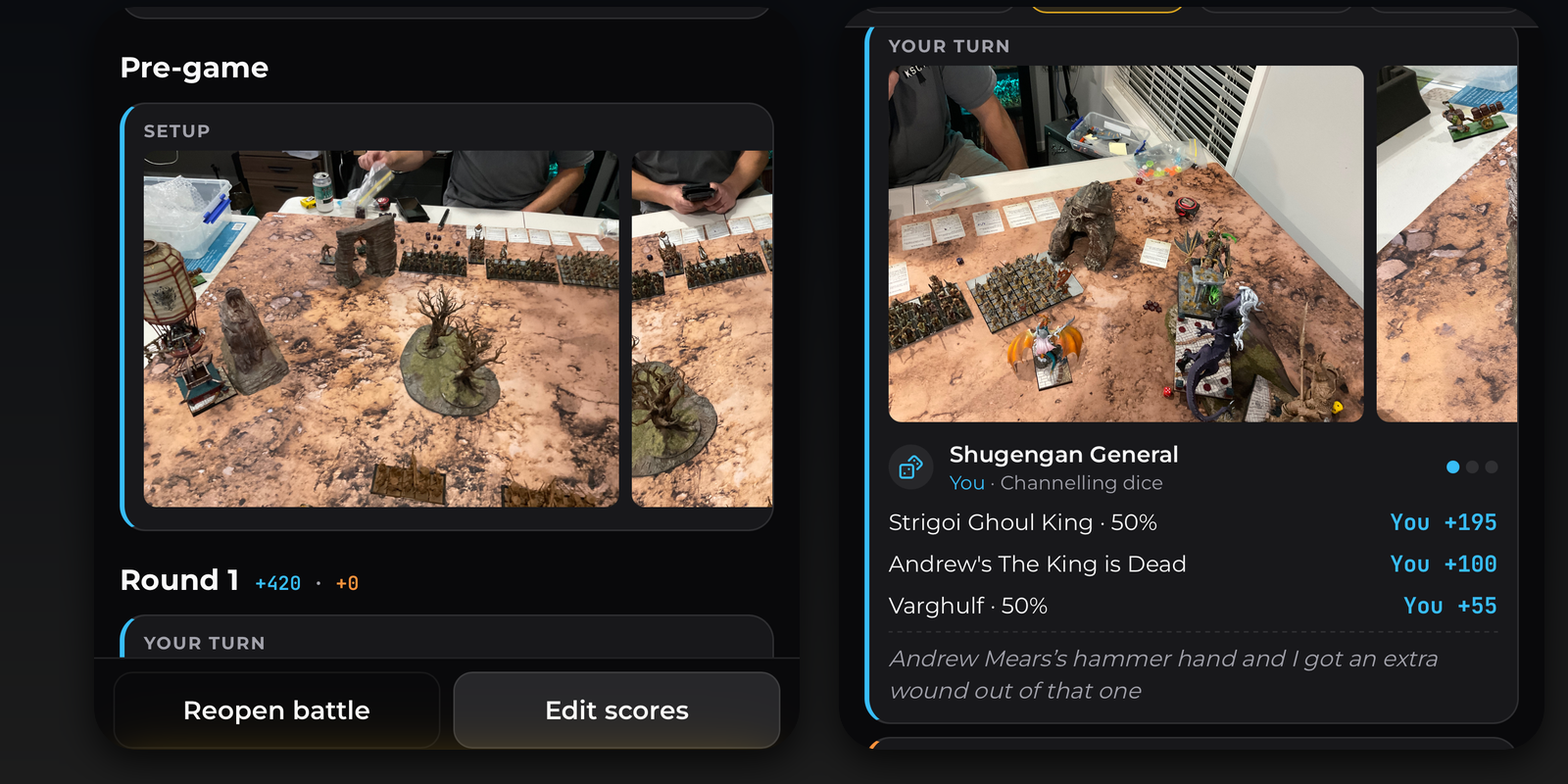
The battle report. The final score screen shows every scoring line for both sides, grouped by where it came from, and you can set a final VP by hand if you need to. The battle report has each turn with its photos and notes, and you can share it from your phone's share sheet.
Game history. OWR Pro Your Games list keeps every game month by month, with live games pinned at the top, synced across your devices. Free keeps one game at a time.
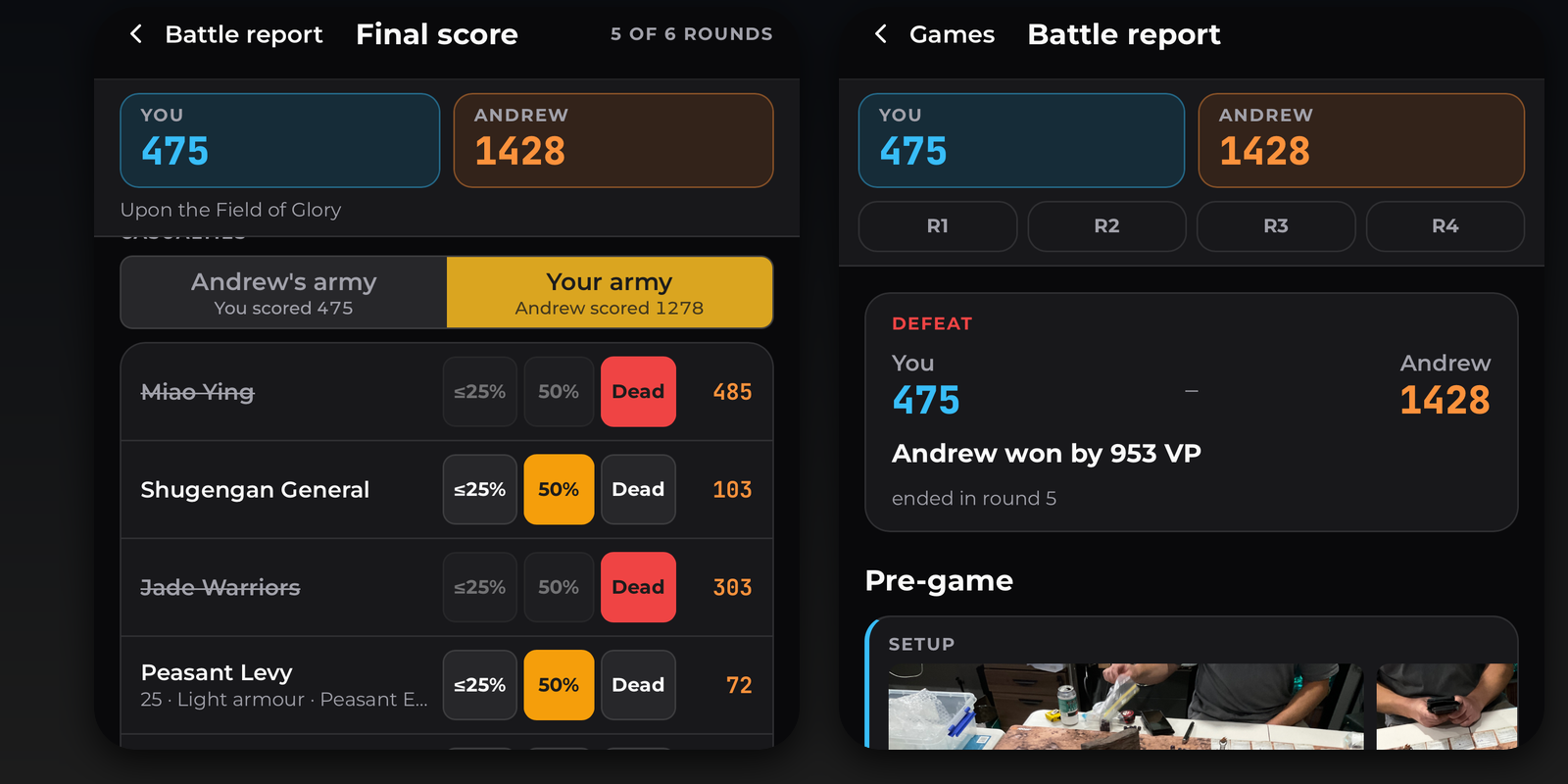
At OWR events too. On event day, open your round in the Battle Hub and tap Play this round in the Battle Scorer. The round's scenario, objectives and notes come with it, along with both players' submitted lists once the event has made lists visible. When you finish, the result and its full breakdown post back to the event together.
Built for iPad. On an iPad or Android tablet the armies sit side by side with a resizable side panel, the pre-game uses the full width with the map beside the scenario, spells are picked from a two-column grid, the end-of-turn sheet lays objectives out in two columns, and the battle report has photos, turns and totals in three columns.
Features marked OWR Pro are free for everyone until the switch-over next week.
The OWR app has launched on iPad
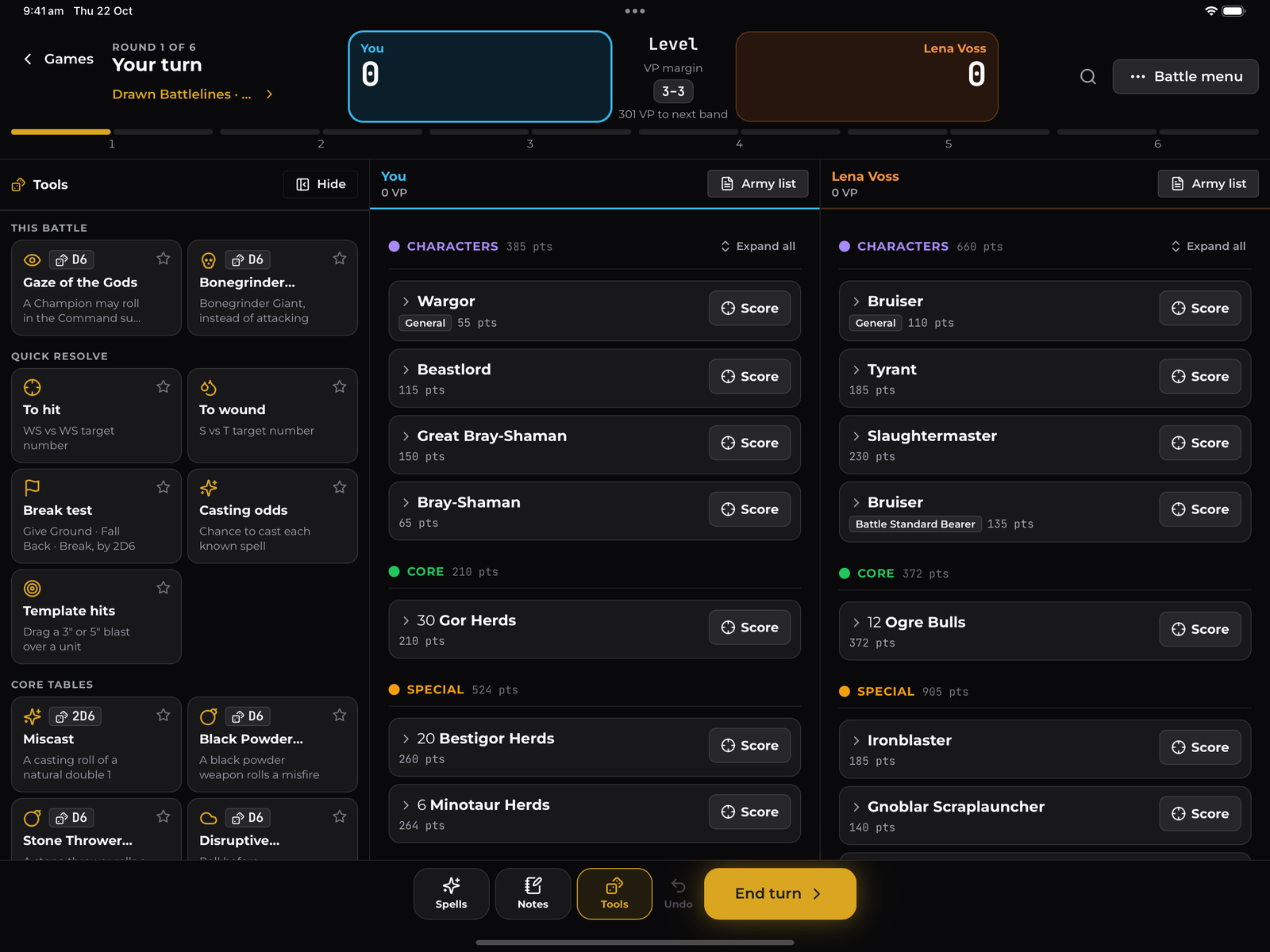
The OWR app is now on iPad, and runs on Android tablets too, with layouts built for the bigger screen in landscape and portrait. On an iPad your army, your opponent's army and the scorer's side panel fit on one screen, and the Battle Hub puts your match on the left with Enter Score and Call the TO on the right. Battle Builder, the Battle Scorer, the Battle Hub, rounds and results all use the extra space. Get it from the App Store or Google Play.
Changes next week: Pro features for Battle Builder, and the old builder
Pro features switch on for Battle Builder next week. That includes the Battle Scorer, which is part of Battle Builder. Building, checking and submitting lists stays free, and so does scoring your games. These move to OWR Pro:
Cloud Sync: your lists, folders and games on every device
Unit Library: save a fully kitted unit and reuse it in any list
Army List Glossary: every rule in a list explained in one place
Rules Search: search a rule, item or unit across your lists and both armies in a game
Game History: keep every Battle Scorer game (free keeps one game at a time)
Game Notes and Photos: notes and photos on each turn of a game
The old Old World Builder is being removed next week. If you still have lists in it, bring them across from the Import screen in Battle Builder, one at a time or as .owb.json files, before it goes. Lists you have already submitted to events on OWR are not affected.
How-to videos for organisers and players
There are now short narrated how-to videos for every step of running an event on OWR, and for players on the day. They are on the Old World Rankings YouTube channel and in the guides at help.oldworldrankings.com.
Hosting an event: setting up, Dates & Payment, Documents, Staff, Attendees, reviewing army lists, Scoring and secondary objectives, Rounds, Communications.
Game Day: checking players in, pairings, results, standings, soft scores, the Battle Board, finishing the event and fixing mistakes.
For players: registering, the Battle Hub on the day, scoring your game, and final results.
The Battle Scorer on iPad: the whole pre-game, from secret objectives and Channelling dice to deployment.
For tournament organisers
Battle Scorer at your event. Players can score each round in the Battle Scorer from the Battle Hub, and the result arrives with its breakdown. Turn on secret objectives for your event from the Scoring tab, and players who have already used one see it greyed out.
Objective timing. Choose when each objective scores: every round, specific rounds, anytime, or once in any round. Battle objectives can score at the end of each battle round, after each player turn, or at the end of the game.
Game Day is easier to find. A Setup / Game Day switch sits above the tabs, with a pulsing dot while the event is live. From the start date your hosted event opens on Game Day > Pairings, and Attendees, Teams and Communications are reachable from there, on mobile too.
Visibility settings moved. Public pairings and standings between rounds now sit under Scoring > Pairings / Rankings. What players and followers see is under Dates & Payment.
Export Game Day to Excel. Standings, games and soft scores at any point in the event, plus teams for doubles and team events.
Add Battle Builder lists for players from the add list and resubmit dialogs.
Adjusted Strength of Schedule. Leave-one-out SoS and BP SoS are available as ranking and pairing tiebreakers, and BP SoS shows on player standings. Thanks to the Hamburger Heerschau team, whose spreadsheet we matched.
Team standings grouped by team, with each player's result under their team, the team rank in the header, and a Download Lists button.
Battle March scoring. New Battle March events get the small-game VP bands and halved objective VP: General 50, banners 25, BSB 25. The Up to 1,000 points row in Matched Play now uses the four official bands.
WLD scoring. A Swap scores button on Game Result, and score entry shows the full calculated result.
Factions stay hidden until lists go visible, on the attendee page and the faction chart, on web and in the app.
Battle Builder updates
Battle Builder has a new layout, with a section each for your lists, games and loadouts, one New button in each, and back links that say where they go.
No account needed. Anyone can open oldworldrankings.com/builder and build lists saved on their device. Sign in later to sync.
Library insights. Readiness, top factions, most-used magic items and points sizes for your library, each one a tap-to-filter.
Compact view fits more on every screen.
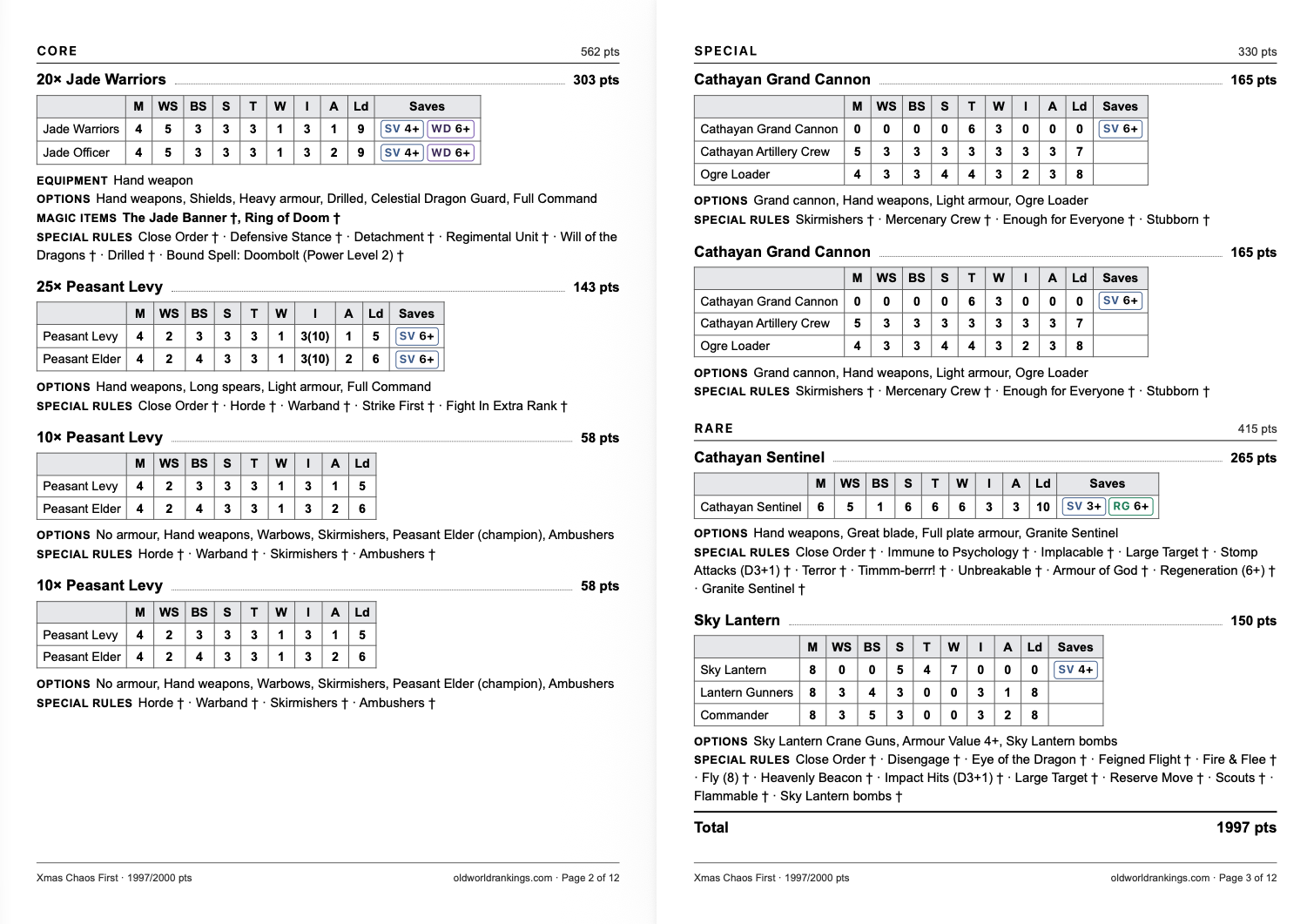
A new print layout, with each unit's profile, saves, options and special rules together, and an option to print two lists per sheet.
Two new regions
🇪🇪 Estonia and 🇦🇷 Argentina are on OWR. Both host their first OWR events in the next few weeks: the Tallinn Warhammer Old World Tournament on 31 October and Me Compre un BM, the first edition in Argentina, on 7 November.
Organisers on GGS Club can now import their events by pasting the event URL, alongside BCP, New Recruit and ChampionsHub.
A new home page
www.oldworldrankings.com opens on your region: upcoming events with a live marker, the region's top players, featured army galleries and the global rankings. Help guides have moved to help.oldworldrankings.com.
Around the grounds
The biggest events hosted on OWR since the last issue:
🇨🇦 Square Based Open Toronto 2026 - 46 players over 5 rounds, 24 October, won by Irek Drabek (Wood Elf Realms)
🇦🇺 Birthday Slaughter GT 2026 - 33 players over 5 rounds, 24 October, won by Geordie Flett (Chaos Dwarfs)
🇦🇺 North Brisbane GT - 30 players over 5 rounds, 19 September
🇳🇴 Invasion Old World 2026 - 26 players over 5 rounds, 12 September
🇦🇺 2+ Battle March - 22 players over 4 rounds, 27 September
🇦🇺 The Dodgy Dealer's Gambit Part 1 - 21 players over 4 rounds, 17 October
🇦🇺 The Old Hammer: Spring into Magic! - 18 players over 3 rounds, 3 October
🇳🇿 No Surrender! - 16 players over 3 rounds, 13 September
🇨🇳 The Old World Cup - 14 players over 8 rounds, 3 October
🇩🇪 Hamburger Heerschau #2 - 14 players over 5 rounds, 19 September
🇬🇧 A Badlands Brouhaha - 14 players over 4 rounds, 17 October
Coming up, hosted on OWR
🇬🇧 Pashhammer Online: Nu Meta! - online, 26 October to 29 November
🇪🇪 Tallinn Warhammer Old World Tournament - 31 October
🇦🇺 Forcehammer Battle March - 7 November
🇬🇧 The Black Horse Brawl - 7 November
🇺🇸 Warhammer The Old World RTT @ Game Garrison - 7 November
🇦🇷 Me Compre un BM - 7 November
🇬🇧 Forgotten North 5 GT - 14 November
🇩🇪 Hamburger Heerschau #3 (1500pts GermanComp) - 14 November
🇦🇺 Black Arrow Battle March: Traitor's Tribute - 14 November
🇳🇴 2D6 Svínfylking II - 21 November
🇺🇸 Renegade Open Grand Tournament - 21 November
🇦🇺 Masters 2026 Season - 21 November
🇩🇪 Poza Boyz Battle March 1 - 6 December
Keep rolling dice,
Gommo & the OWR team