
Score Your Games of The Old World, Turn by Turn
Pick both lists and play. VP, objectives, spells and the rules tables are all there as you go. On the web, iPhone, iPad and Android.
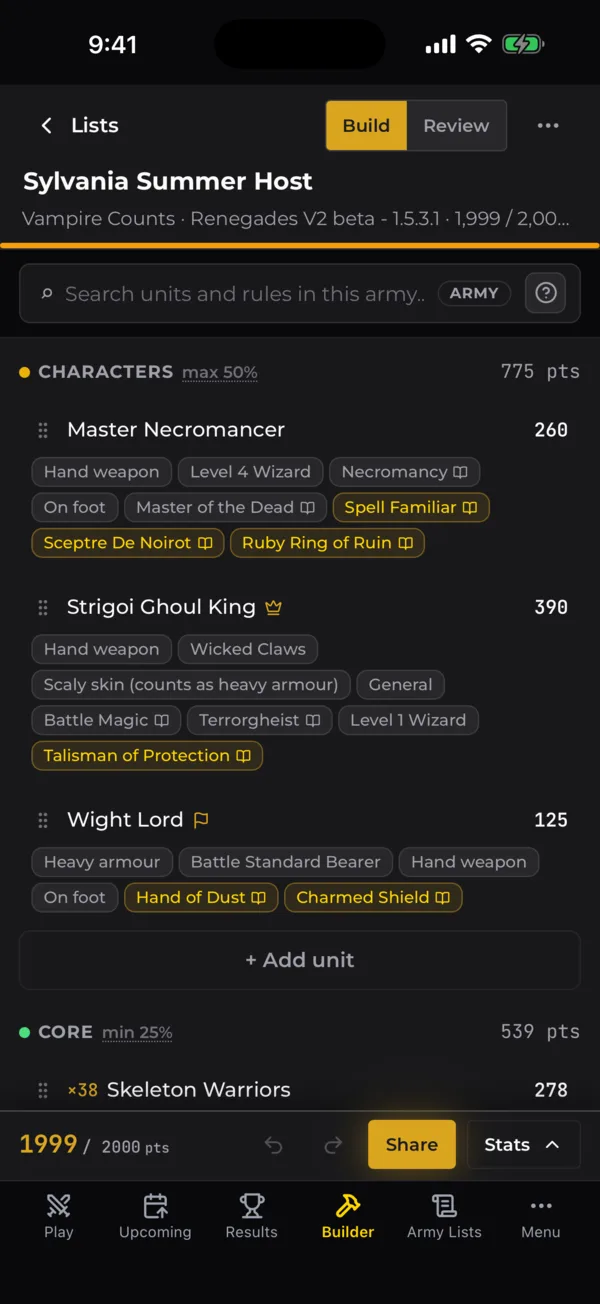
From Your List to the Final Score
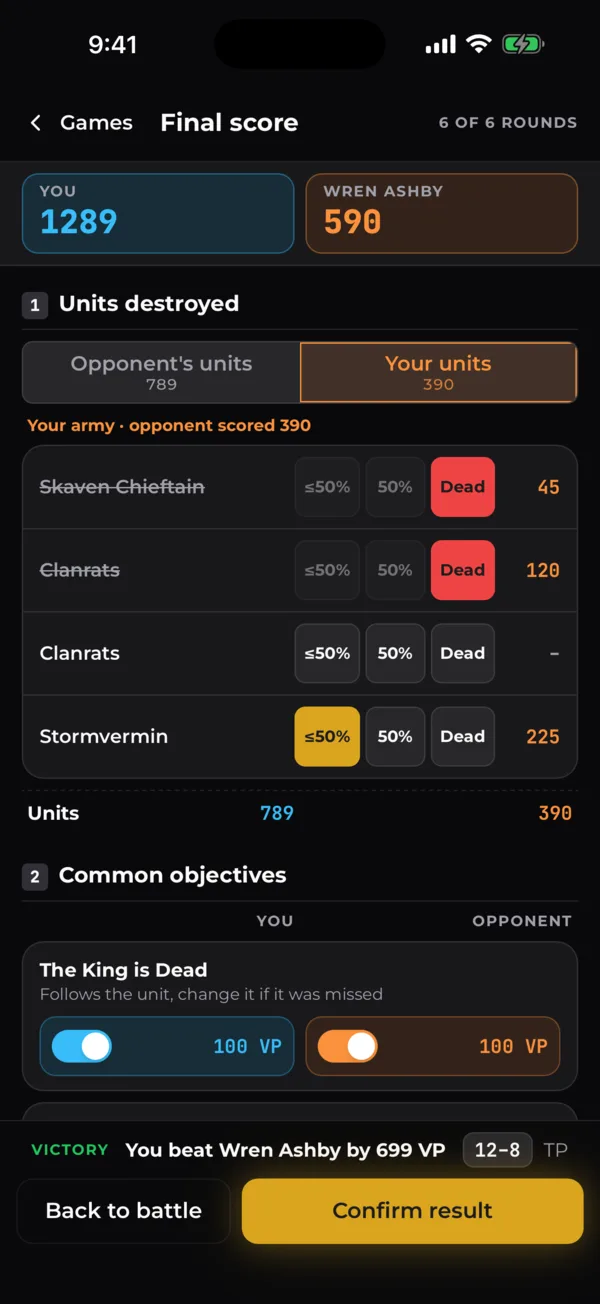
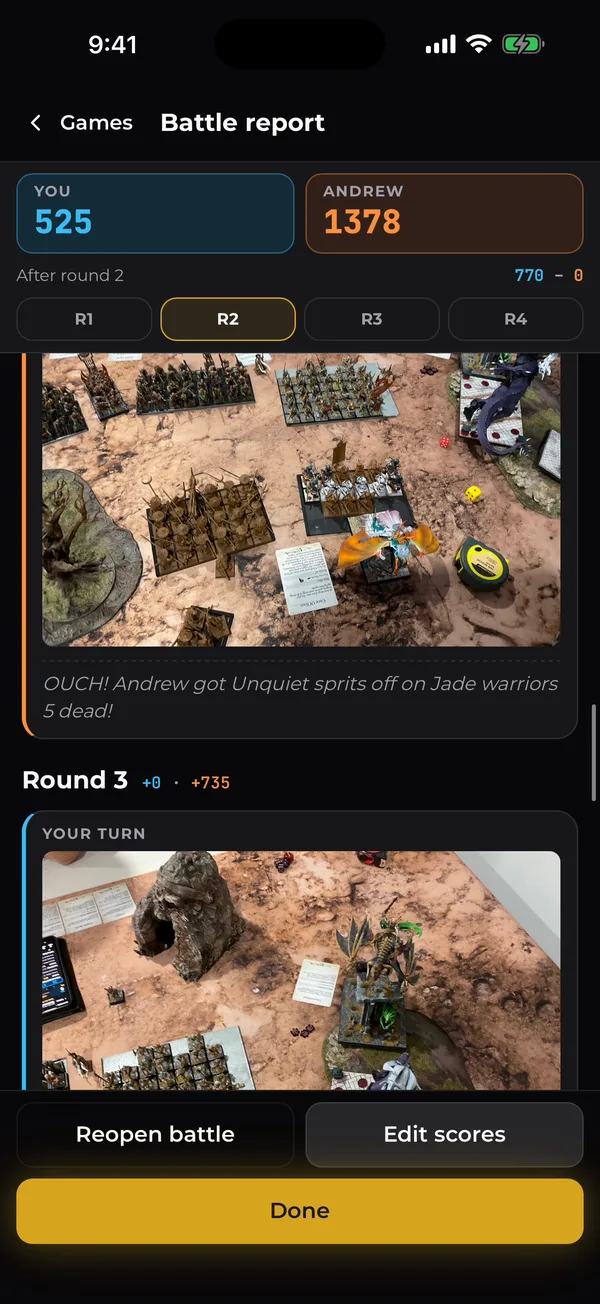
From Deployment to the Final Score
The pre-game walks you through it in order: rounds and the optional chess clock, the scenario and its deployment map, spells for both sides, and who goes first.
Both Armies, Turn by Turn
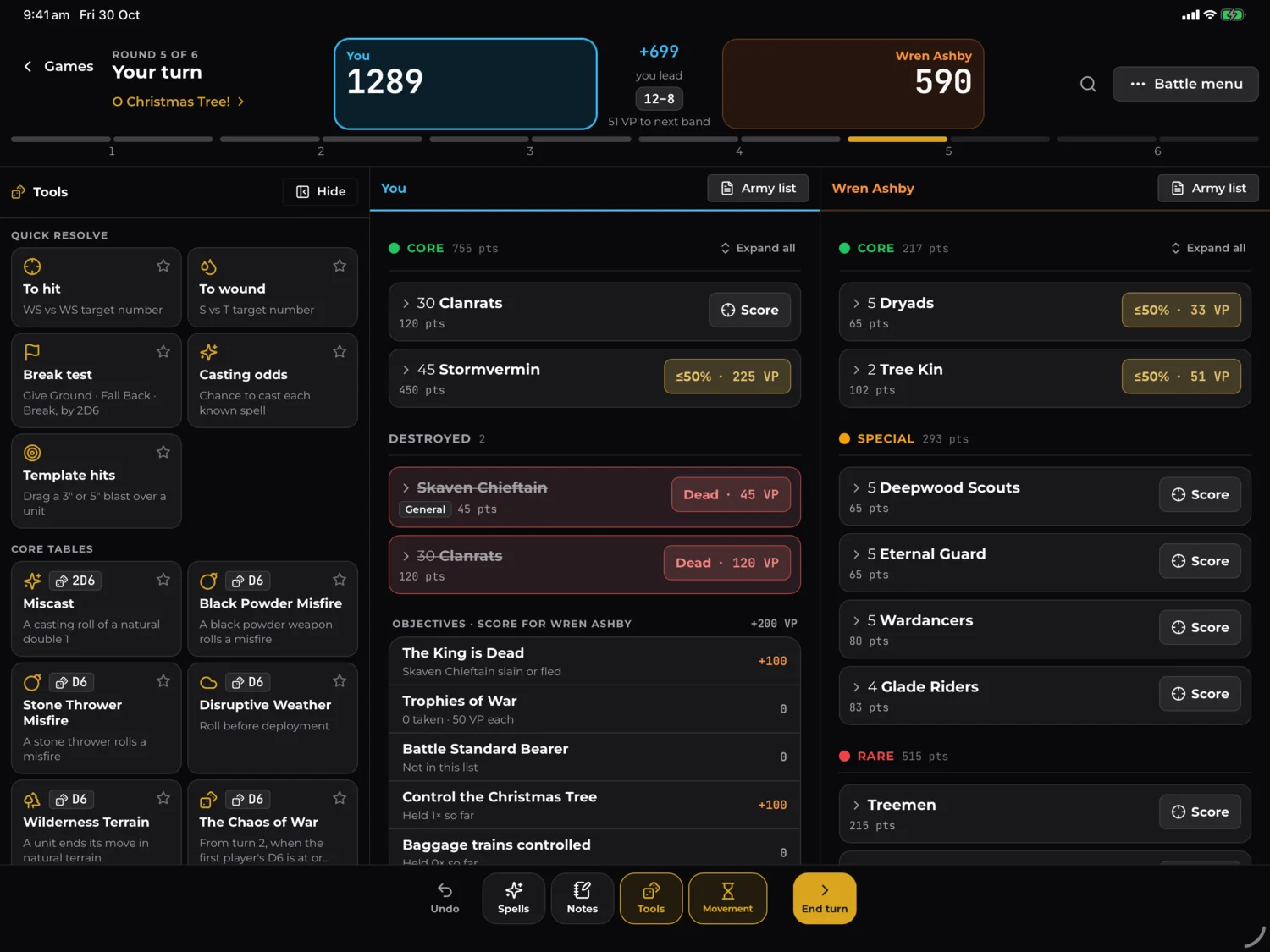
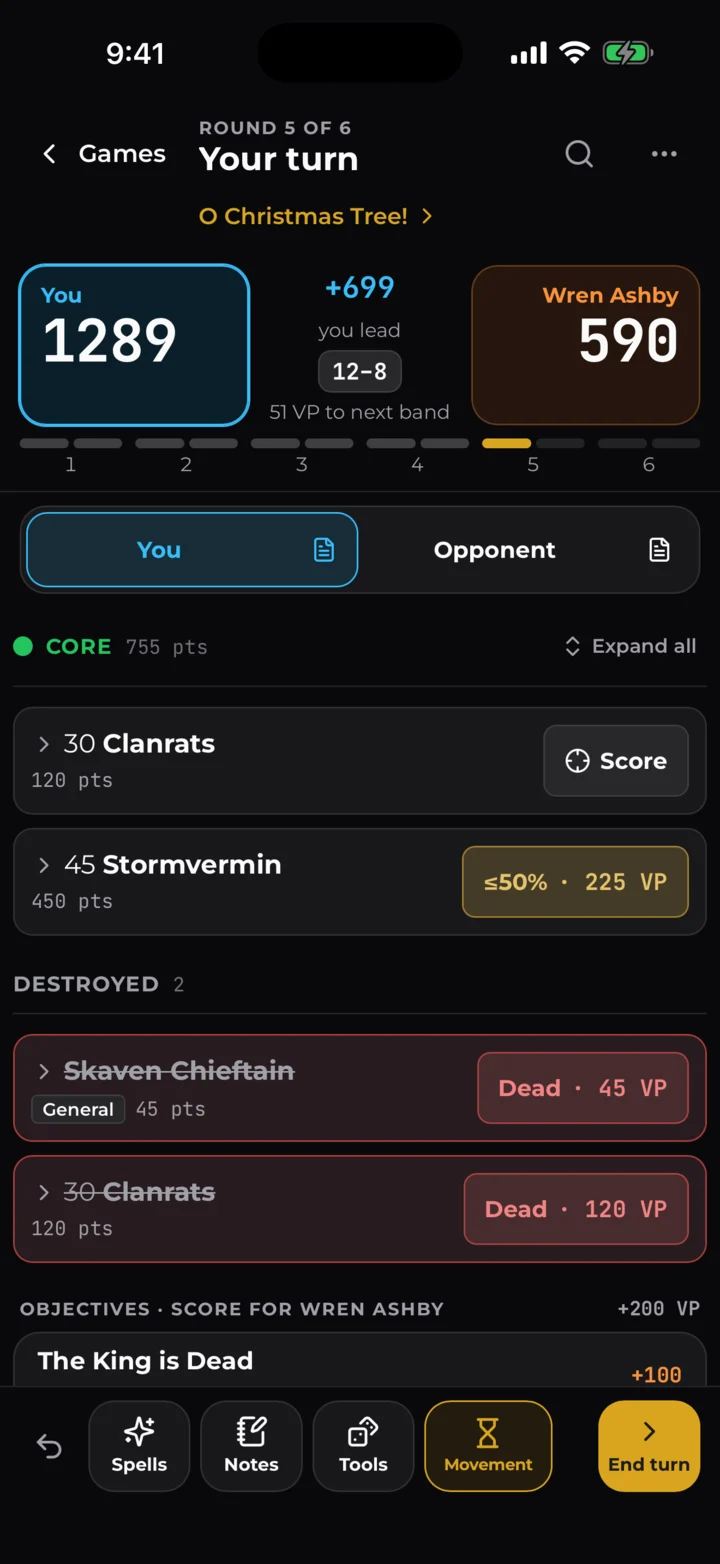
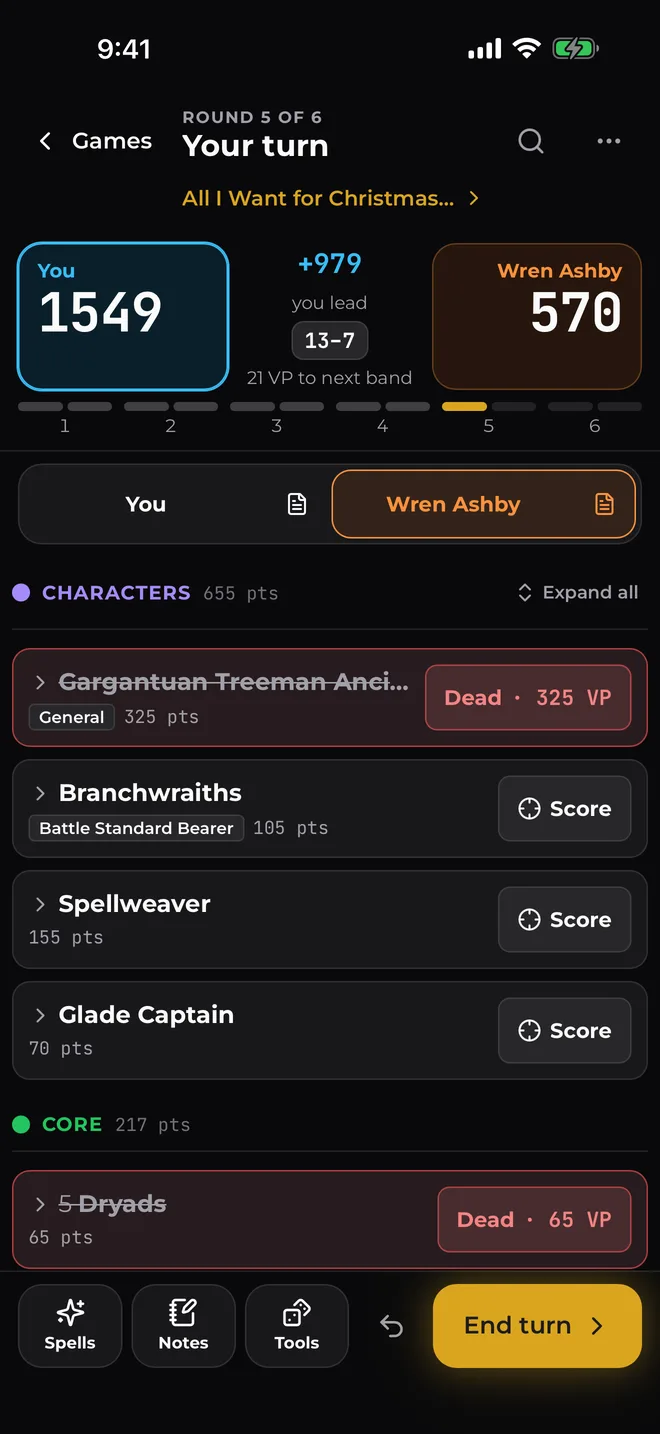
Both lists are there for the whole game. When a unit dies, flees or drops below half, tap Score and the Victory Points go to the right side straight away. On a phone you tap between your army and your opponent's, and the running score sits at the top.
- You are blue, they are orange, everywhere, so a score in the wrong column stands out
- Every unit folded down, to what you need mid-game
- End Turn has undo, for when you tap the wrong thing
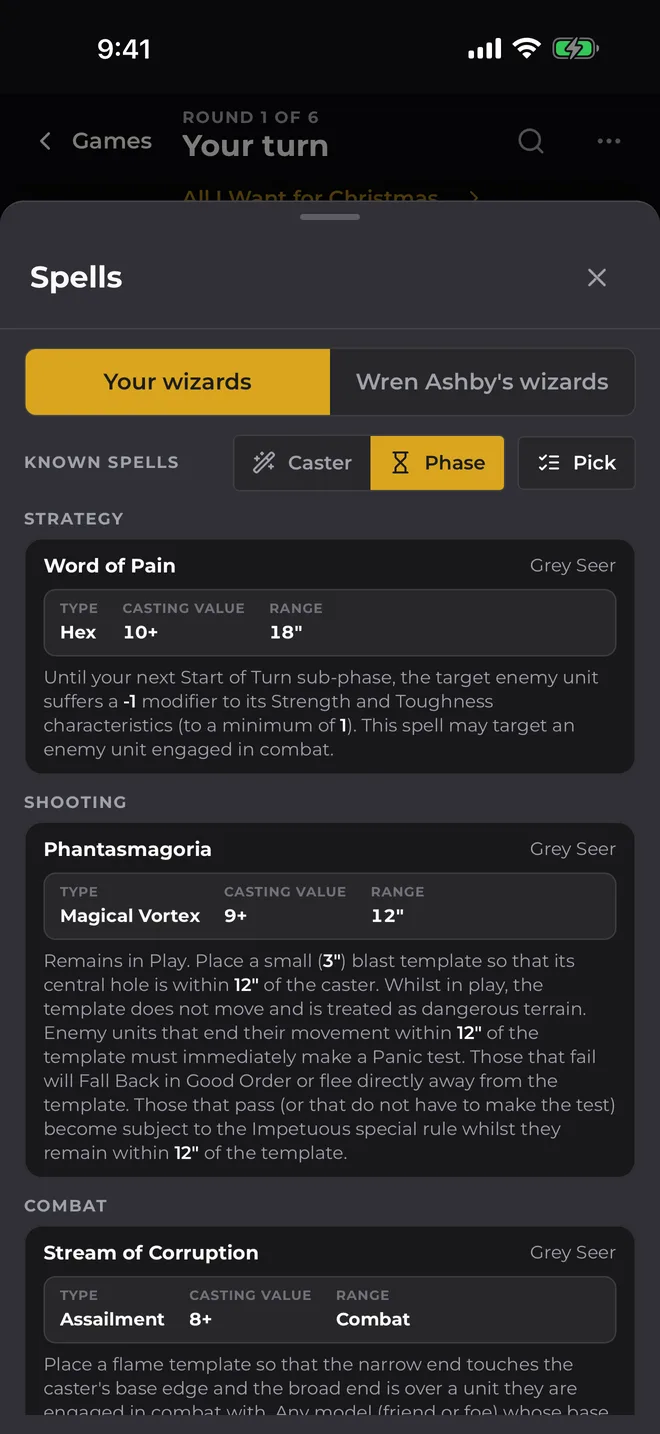
Your Spells, by Caster or by Phase
Every known spell for both sides, with its casting value, range and full text. Sort them by the wizard casting them, or by phase, so in the Shooting phase you're only looking at shooting spells.
- Your wizards and theirs, one tap apart
- Spells sorted out in the pre-game, so they are ready on turn one
The Tables You'd Dig Through a Book For
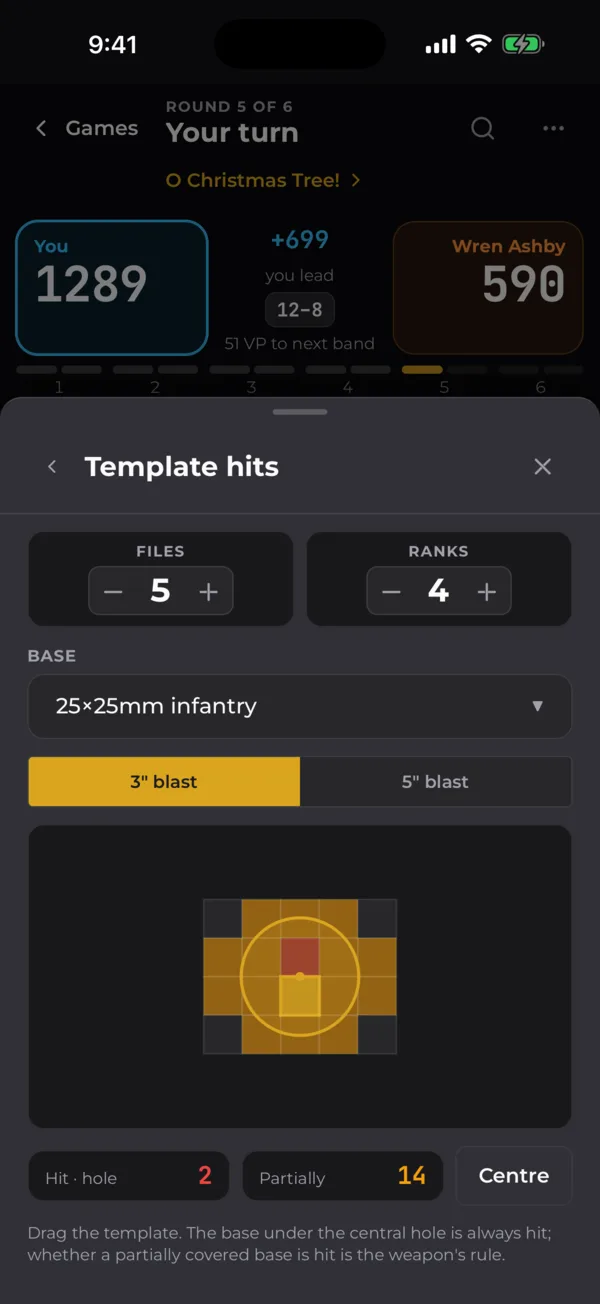
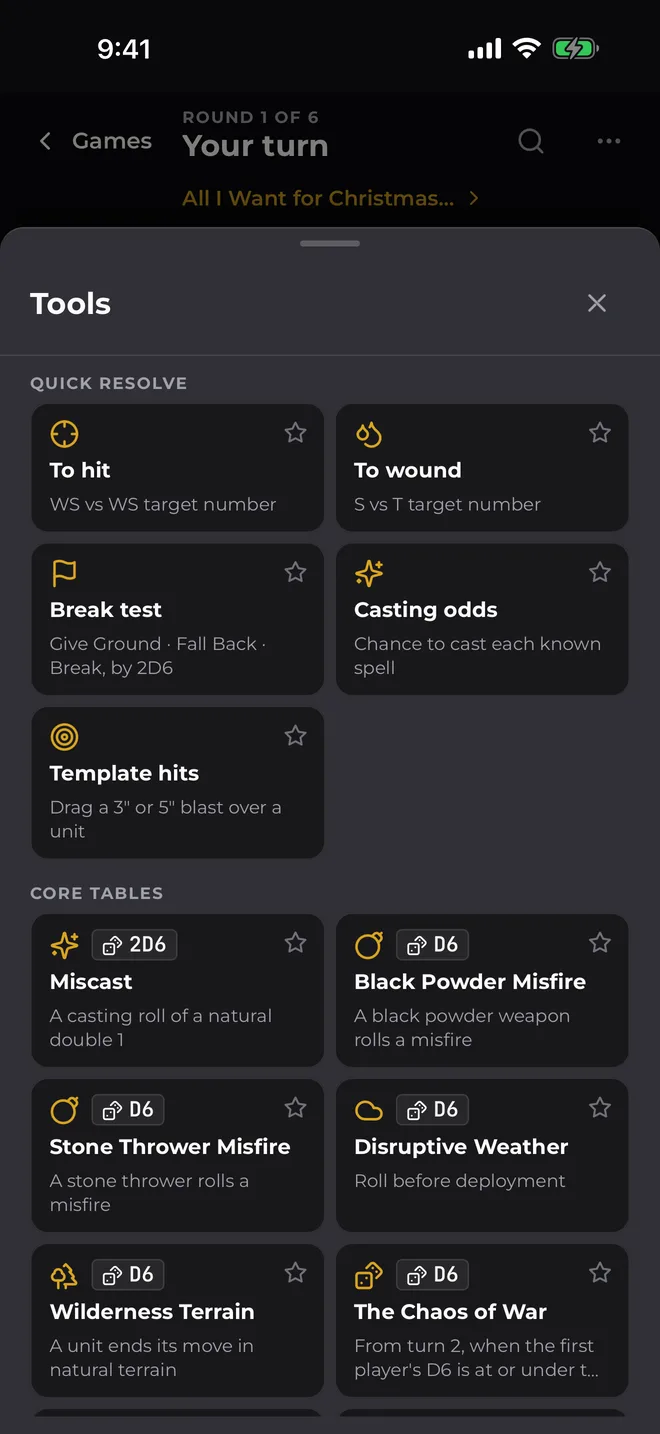
The rules you always end up looking for mid-game are a tap away, worked out for your units and your wizards.
- Casting odds, each wizard's chance to cast every spell, and to miscast
- Miscast and Gaze of the Gods, roll for you and show the result
- Template hits, how many models a 3" or 5" blast catches
- Break tests, to hit and to wound, without the maths
VP and Objectives Added Up for You
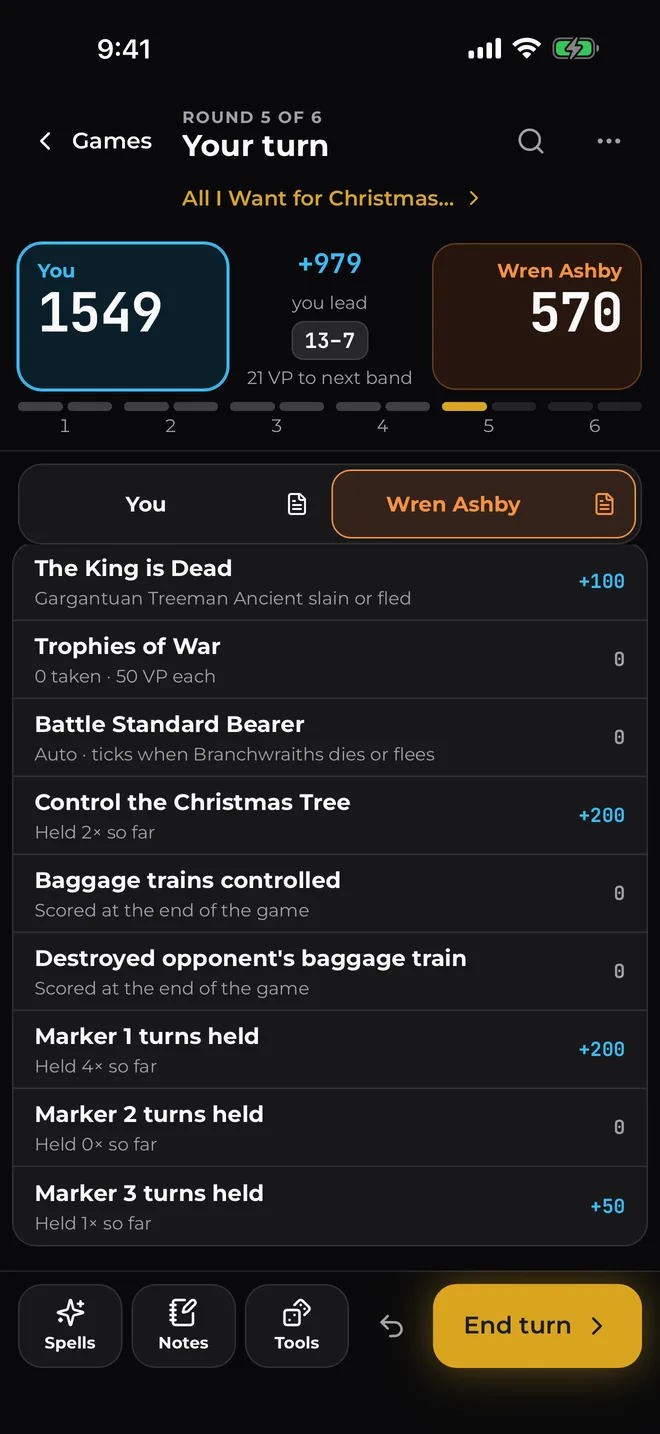
Scenario and battle objectives score when they should: at the end of a round, after a player turn, or at the end of the game. The end-of-turn sheet walks you through each one before you move on, so nothing gets missed.
- Baggage trains, markers, The King is Dead, and the rest of the scenario objectives
- Secret objectives, stay hidden until the end, then count
A Battle Report at the End
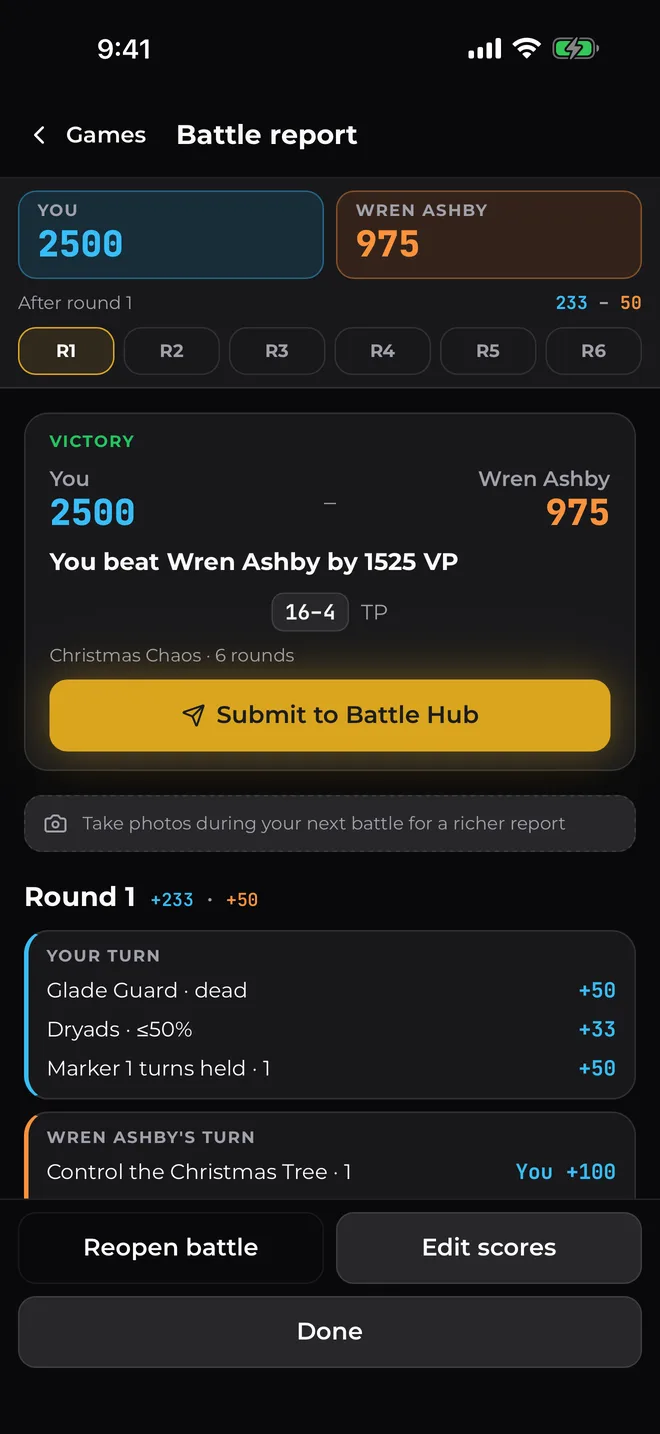
When the game's done you get every scoring line for both sides, then a battle report of the whole game, turn by turn. Take photos as you go and they're in there too.
- Every turn, with what scored and who scored it
- Share it, from your phone's share sheet
Two Columns on iPad
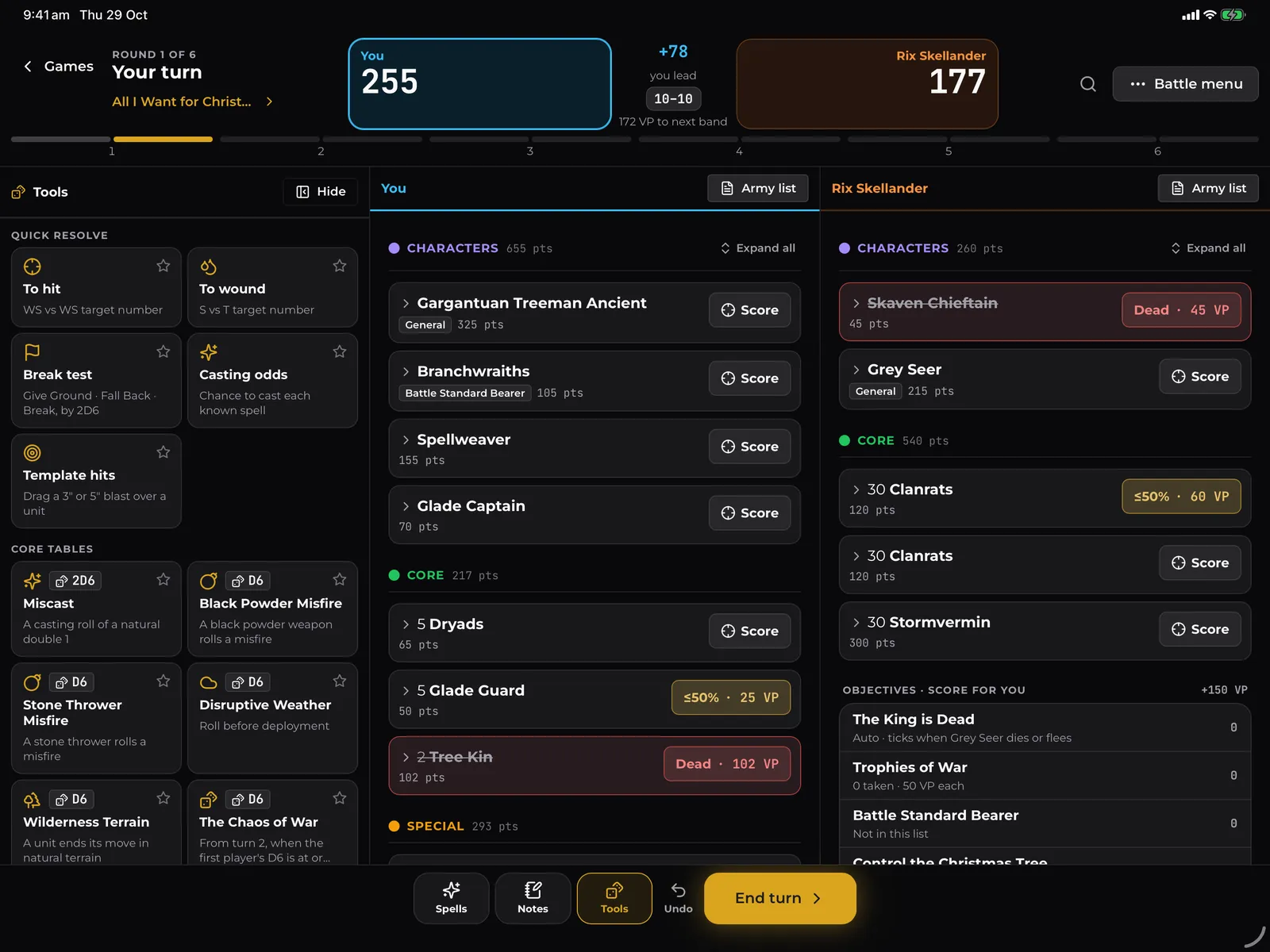
On an iPad or Android tablet both armies sit side by side, with the tools and spells in a panel down the side. The pre-game, the end-of-turn sheet and the battle report all spread out to use the room.
- Both armies on one screen, no switching
- Landscape or portrait, whichever way the tablet sits
Straight to the TO at OWR Events
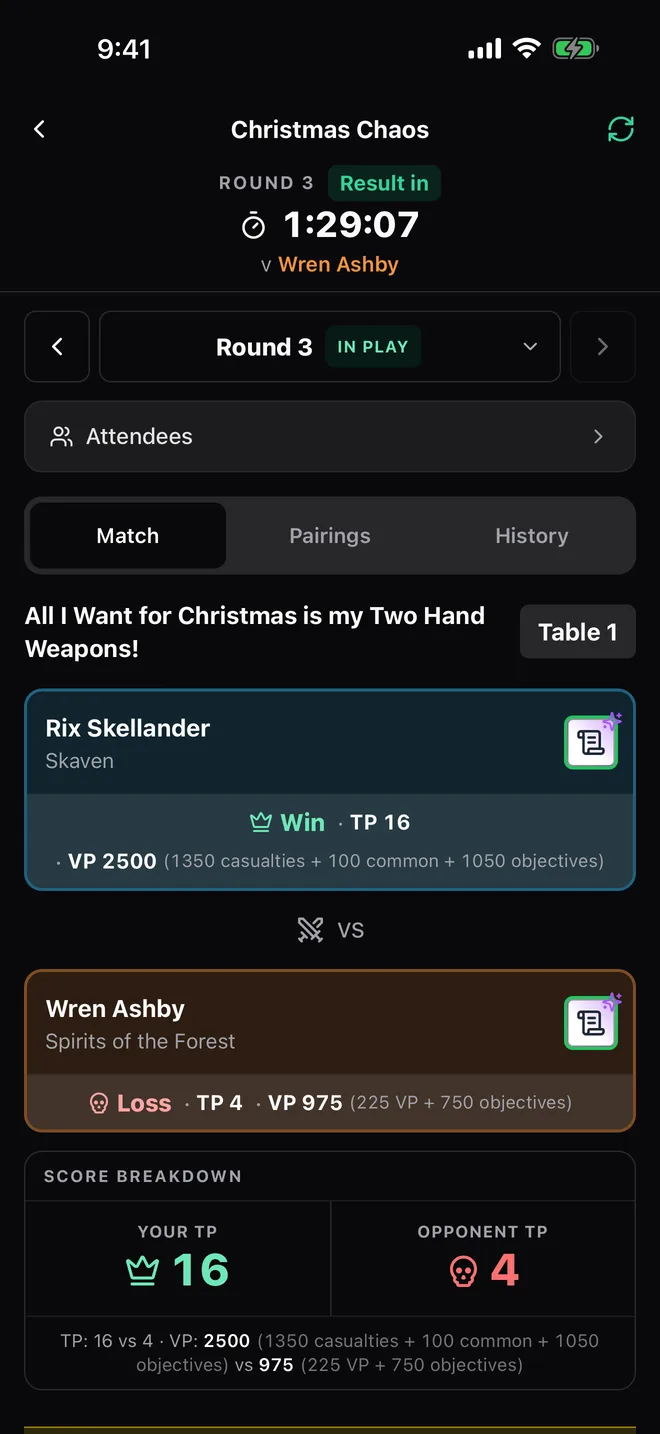
At an event run on OWR, open your round in the Battle Hub and play it in the Battle Scorer. The scenario and both lists come with it, and when you finish, the result and its full breakdown go straight to the TO.
- Nothing to type in again, the score is already there
- The full breakdown, so the TO can see where every point came from
What Players Say
Easily the best experience as a player for a hosting app. Don't see a point in ever using [the other app] again.
You've created an awesome product, I hope it becomes standard for tournaments.
The app was useful in that I could go to the table numbered, check I've got the right opponent, and introduce myself.
Ready for Your Next Game?
The Battle Scorer is on the web, and in the OWR app on iPhone, iPad and Android.
Start a Game on the Web